All the New Cross-Platform Actions in Shortcuts for iOS, iPadOS, and macOS ?

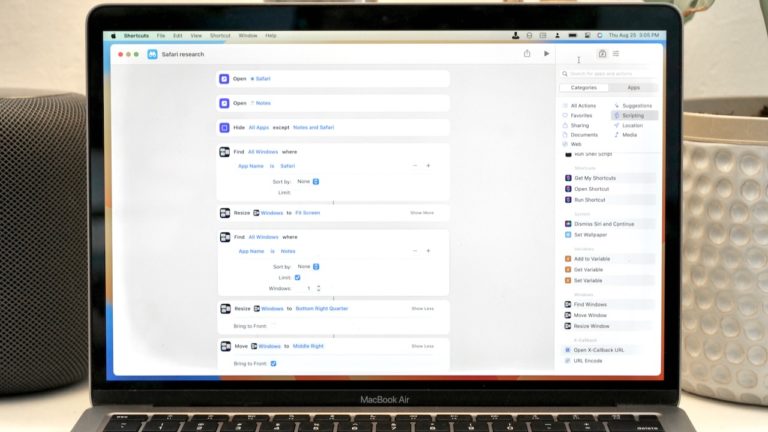
With the release of iOS 15 and the associated betas across Apple’s platforms, the Shortcuts app has received 2 automation types and 22 new actions that work across iPhone, iPad, and macOS.

With the release of iOS 15 and the associated betas across Apple’s platforms, the Shortcuts app has received 2 automation types and 22 new actions that work across iPhone, iPad, and macOS as well as 21 Mac-only actions.

This piece (4,700 words, about 20 minutes average reading time) includes my write up of the cross-platform actions, reordered into custom groups I’ve created – I’ll be covering the Mac-only actions next week.

I’ll also be adding screenshots and example shortcuts in a future version, so members can read up now and I’ll post the full guide once the public betas release.

Become a member to get access to the full post, plus:

  • Members-only shortcuts
  • Extra ways to browse the catalog when you’re signed in
  • Prerelease notes & workflows I’m putting together
  • Exclusive livestreams teaching you more about Shortcuts
Posts You Might Like

Apple Has (Finally) Made Shortcuts’ Action Editor Easier To Browse
Apple has improved the organization, categorization, and sort order of actions inside the Shortcuts app – a welcome change that should help new users get started.
Shortcuts beta adds “Notify When Run” toggle to hide Automations
New in the Shortcuts Library: Journal shortcuts
Check out my folder of shortcuts for Apple's Journal app for iPhone, which has been updated with new actions in the iOS 18 betas.
Apple Music Replay: Save Your Listening History From Kids Music With These Shortcuts
If your Apple Music Replay results are mixed with your kids' songs, then you need to try the "Use Listening History" Focus Filter for the Music app.